This small release is available since the 5 July.
One major change is that now we can use buttons to read or pause the workout. Also there are some bugs fixed in this release.
I tested a first workout with the new release, everything seems working great :D
Showing posts with label tutorial. Show all posts
Wednesday, July 13, 2011
Friday, May 27, 2011
Nike+ Maps
I recently discovered this interesting thing provided by the Nike+ Website. It can put my runs on the map, powered by Google Maps, so you can see clearly where I ran. Also it can show me the hot spots of the Nike+ users. Take a look at the screen shot, the red marks are my runs and the yellow clouds are the hotspots of the Nike+ runners, quite nice :D
New Nike+ GPS 3.1
Nike+ GPS announced its new release 3.1 24/05/2011. More functionality are added in this new version and the application runs faster than before.
New functionality:
We can specify if the incoming call during the run will put Nike+ in pause or not.
We have more options for the feedback, totally disabled or enable selected ones.
We can connect to Nike+ website with Facebook or Twitter account.
Enhancement:
GPS/Accelerator more precise.
Search for Nike+ friend with their Nike+ user name.
Note that after installation, we need to reconnect to Nike+ account. See now we can login with the Nike+ account or Facebook or Twitter account.
Waiting this weekend to test this new version out. :D
New functionality:
We can specify if the incoming call during the run will put Nike+ in pause or not.
We have more options for the feedback, totally disabled or enable selected ones.
We can connect to Nike+ website with Facebook or Twitter account.
Enhancement:
GPS/Accelerator more precise.
Search for Nike+ friend with their Nike+ user name.
Note that after installation, we need to reconnect to Nike+ account. See now we can login with the Nike+ account or Facebook or Twitter account.
Waiting this weekend to test this new version out. :D
Wednesday, February 9, 2011
Nike+ GPS, New Version 3.0.1
Released 14 Jan. 2011, I only found it today. A special feature is the Nike+ Tag, which, as far as I understand, is a kind of competition game, so you can compete with your friends and give an IT tag to those run less than you. Quite interesting stuff, give it a try!
Tuesday, October 26, 2010
Nike+ GPS, what's new in the latest 2.0.1 release?
The latest version of Nike+ GPS was released the 19 Oct. One interesting to mention in this new release is that you can share your activity directly from the application. Here I'll show you how to do it.
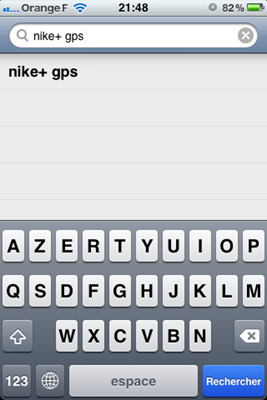
First you need to upgrade your current Nike+ GPS 1.0.1 to 2.0.1. Just go to AppStore and search Nike+ GPS.
Tap on the search result will open the Nike+ GPS application page. For a user that already have Nike+ GPS installed, the update is FREE (well, shown in the screen capture is GRATUT in French).

Tap on the button FREE/GRATUT then install the update. Just enable your WIFI connection if you have it, this will make the download much faster, After the installation finishes, open the application and go to settings, you will see two settings one for facebook and the other for twitter.

Tap Connect facebook for example. You are asked to enter you facebook login and password, then again, for security reasons, you are asked to authorize Nike+ to access your facebook information. Once your Nike+ GPS is connected to your facebook, you can enable Auto-Share so that your activities are posted to facebook at real-time.

That’s cool, isn’t it!
However, what confused me a little is that we also have the same functionality on the nikerunning.nike.com website, if you logged into your account, you can setup to post your activities to facebook and twitter and it works pretty well for me now. So what happens if I also enable Auto-Share in Nike+ GPS, will I have my one activity posted twice on facebook? That is one thing to be tested tomorrow.
First you need to upgrade your current Nike+ GPS 1.0.1 to 2.0.1. Just go to AppStore and search Nike+ GPS.
Tap on the search result will open the Nike+ GPS application page. For a user that already have Nike+ GPS installed, the update is FREE (well, shown in the screen capture is GRATUT in French).
Tap on the button FREE/GRATUT then install the update. Just enable your WIFI connection if you have it, this will make the download much faster, After the installation finishes, open the application and go to settings, you will see two settings one for facebook and the other for twitter.
Tap Connect facebook for example. You are asked to enter you facebook login and password, then again, for security reasons, you are asked to authorize Nike+ to access your facebook information. Once your Nike+ GPS is connected to your facebook, you can enable Auto-Share so that your activities are posted to facebook at real-time.
That’s cool, isn’t it!
However, what confused me a little is that we also have the same functionality on the nikerunning.nike.com website, if you logged into your account, you can setup to post your activities to facebook and twitter and it works pretty well for me now. So what happens if I also enable Auto-Share in Nike+ GPS, will I have my one activity posted twice on facebook? That is one thing to be tested tomorrow.
Subscribe to:
Posts (Atom)
